RSS PART 2: electric boogaloo
I want to stop using dioxus for my frontend. Every stupid roadblock I meet, I have the urge to drown my laptop in a tub of soapy water. I hear whispers sometimes: “re-write the frontend in Vue… it wouldn’t take that long… you’d be more agile…”. I evaluate. I think. I ruminate. Sunken cost fallacy gets the best of me and I dismiss the thoughts. I’m getting really close though. Let me describe the issue that has gotten me here.
The issue
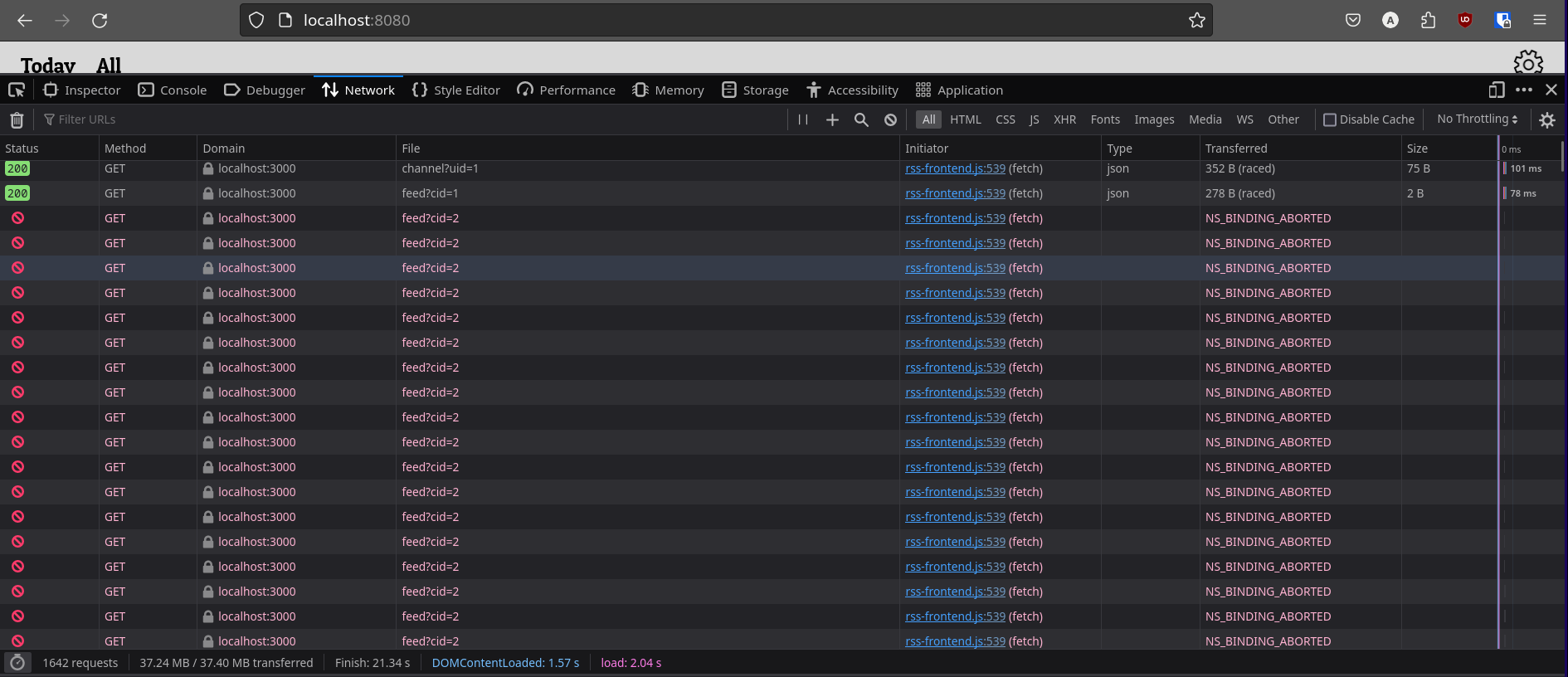
I was making some really nice progress on the app - I enabled PWA functionality, worked through another page that I wanted, and more. I’m not too sure what triggered this specifically, but my pages would stop loading during development. Dioxus was telling me that the reason this was happening was that I had hooks that were in conditionals - this was an issue that I was aware about, but dismissed because it was working on my end anyway. At the time. So I refactored the code to remove the hooks from the conditionals, and this is where it all falls apart.
I had two use_future hooks - these would take an async piece of code, run it, and allow you to get the value to render. These hooks can take in dependencies. When these dependencies change, the future is reloaded to get a new value. The dependencies are defined in the second argument.
let channel_future = use_future(cx, (), |_| get_channels(uid));
let cid = use_state(cx, || 1);
let post_future = use_future(cx, cid, |cid| get_daily_feed(*cid));
So, I had these 2 futures - channel_future has no dependencies, and post_future has a dependency on CID. Once channel_future completes, the CID is updated with the first channel in the result. This causes post_future to update, because it’s dependency changes. All good. However, for some reason, when post_future reloads, channel_future reloads as well - resulting in the code in complete state of channel_future to run again. WHICH means that CID is set AGAIN, WHICH means post_future reloads, WHICH means the code in the complete state of channel_future runs again, WHICH means, WHICH means, WHICH means, et cetera, ad inifinitum. Infinite loop. The problem was that channel_future was reloading when it wasn’t told to or set to.
I sleep

I slept on it. I didn’t know why this wasn’t working, but enough is enough. I don’t want to wade through insufficient documentation again, or make a new issue on github to find out why this is happening. Below are all the reasons why I’m done with dioxus.
- Issues like I just described, side-tracking me for hours
- Dioxus targets WASM. Requests, the premier http requests crate on Rust, does not support WASM for their Cookie Jar. This effectively means I can’t easily implement Cookies (There are other much smaller crates that target this, though.)
- Dioxus’ “Declarative Styling” doesn’t really work for me - I feel that it facilitates messy, messy styles.
- It’s not you, it’s me.
- It’s just that feeling that I could be accomplishing all that I’ve done much, much faster using other frameworks
So, I’m re-writing the frontend. We’re breaking up.
Back home, or: How I learned to stop worrying and love vue

I’m back to Vue. It’s my Weenie Hut Jr - but hey the whole point of the episode was that Spongebob doesn’t need to “prove” himself or gain approval. Spongebob enjoys Weenie Hut Jr, and it’s not a problem to admit that! He has nothing to prove. Yes.
But I digress. I was able to re-write the frontend and have a 1-to-1 Vue version in less than a day (and it was a pretty busy day, too). Not too long after, I was working. I was producing new code. I was being PRODUCTIVE. I wasn’t FIGHTING the framework. Why did I ever leave you?
Creating a local store for user preferences
My next step was to have a persistent store for user preferences somewhere. I didn’t want to use a database, and cookies seemed like an inappropriate tool to store complex objects in (i’m sure it’s viable). I then found IndexedDB, which seemed pretty appropriate. I worked through the very dry but very enriching MDN IndexedDB guide, and was able to implement what I wanted to do. The API is kind of odd due to it’s asynchronous approach, and returning a value from the database transaction required me to wrap the calls in a Promise. There’s a library that wraps the API in Promises which makes it wayy more intuitive to use. Fun that I find that out after I finish writing the code. yay.
Giving some love to the logger

At that point, all the initial features that I wanted to have in the reader was done. The last thing on my list was to properly finish the logger. The logger at the time was simply spewing out some information that could be useful into a text file - it wasn’t very readable and indexable, which was a clear problem. I thought of using some other file type/markup language to store the logs in. In my mind I had no doubt that JSON would be my way to go, but when I started implementing it I had 2 problems. Firstly, when adding a new log I was unsure what to do to maintain proper JSON syntax. For the log to be a proper object, it would have to be encapsulated with []. This could not be done easily, because I was simply appending some text to the end of a file. So, my options to make this work are:
- Read the file to a certain point - stop directly after a
[or directly before a]. Then, append the text of the log and add back the square bracket, while making sure I have no trailing commas - Read the entire file into a JSON list object, append my item to the object, run a .to_string() on it and overwrite the whole file (ok but why would I)
Any option would require me to manipulate/read the file more than I want to - I’d preferrably have a solution where I can simply keep appending text without worry of an ending delimiter. Secondly, I had trouble cramming a backtrace full of newlines and formatting into a JSON field - JSON doesn’t allow multiline strings.

Then, I had a thought - I could use a more “loose” (for lack of better word) markup language that would not require me to add some ending delimiter AND would have support for multiline strings. I settled on YAML, but came into another problem. YAML was almost what I needed, but there was an issue regarding multiline strings - they’re supported, but there are certain patterns that are explicitly not allowed. Namely, a colon(:) followed by a space ( ). This was a pretty big problem because the backtrace was FULL of such patterns. Formatting the backtrace and manually escaping them was not an option due to the added overhead.
So, back to the drawing board. Another language that would allow me to express all I needed - that allowed multiline strings with no strings attached - a language that was simple enough. I know, I’ll make my own language!

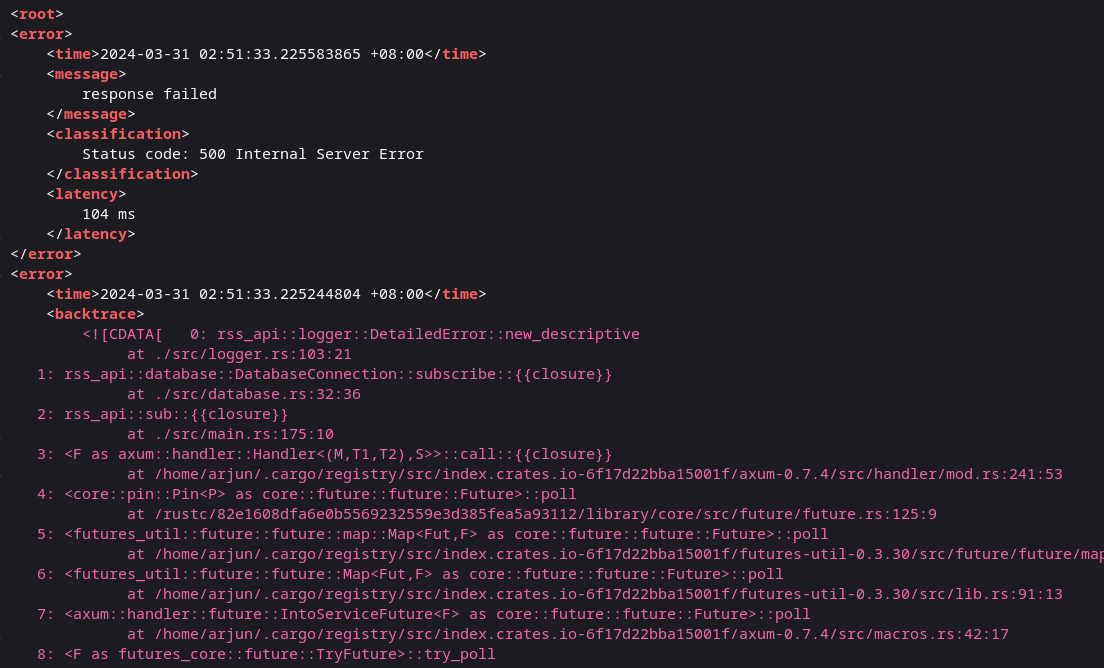
Just kidding. The answer was in front of my eyes the whole time. XML. X (eXtreme) M (maximalistic) L (Language), baby. I’ve been working with it the whole time in RSS feeds and I hadn’t realised it’s utility. It’s flexibility. It’s simplicity 🤌. XML’s syntax needs no introduction, and it supports mulitiline text with no need for escape characters using the CDATA attribute. Perfect. Added bonus: I could now serve the log file through the API on the web, and have it be human-readable. Perrrfect.

Buut not really perfect. That first problem I described with JSON, where I needed an ending delimiter, was still present in XML. XML requires a root node, so it means that everything needs to be encapsulated in this root node. But, at this point I was too tired to fight, and the pros of xml outweighed this con. I’m sure I’ll come up with a solution I like more soon.
Dockerizing
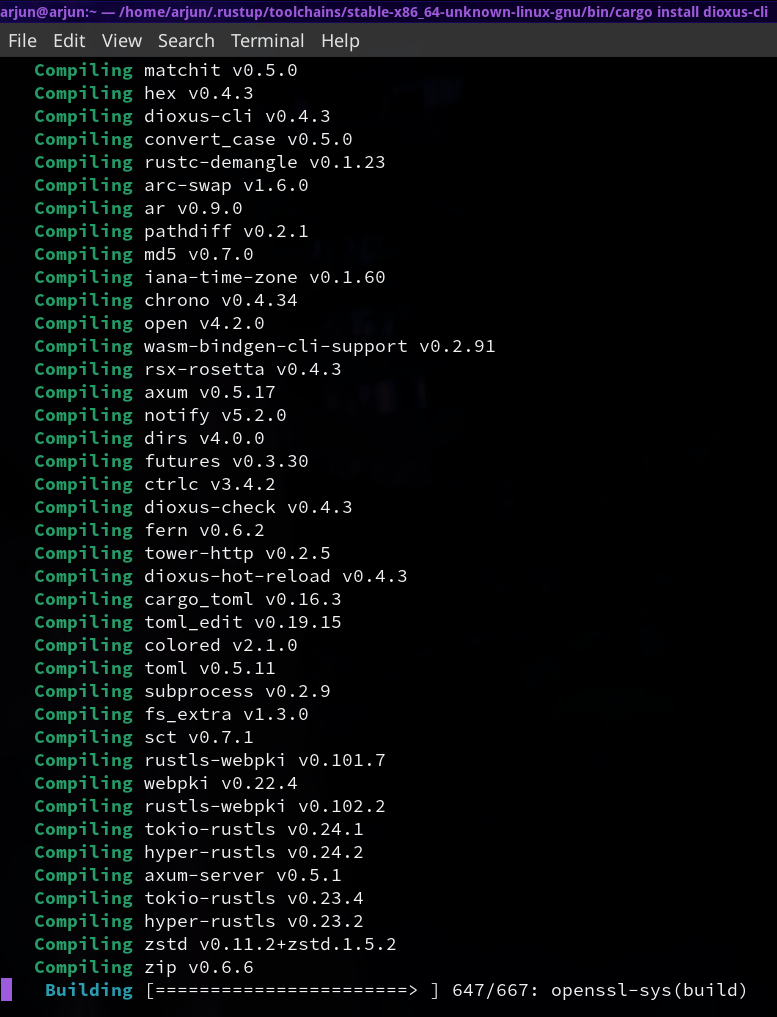
I always hate this, it feels like a chore. I started work on getting the project ready for deployment, and I wanted it Dockerized so that I could run it anywhere easily. Created the Dockerfiles, which then took an annoyingly long time build - the unoptimized backend api image was 6 (six) gigabytes, and took more than 5 minutes to build on my poor T495 ThinkPad.
I was fixing the CORS configuration which was very fun because each time I wanted to set a new allow-origin value, it meant that I had to wait 5 minutes to see if it worked (I was unsure on which was the origin - the IP address of the app running INSIDE the container, or the address from which I was accessing it on the OUTSIDE. Turns out it was the outside.) AND THEN once I got CORS to work on the single-stage-6GB build, when I tried a multi-stage build to decrease the size of the final image, I GOT CORS ISSUES AGAIN!!! Skill issue. Well as it turned out I thought I had CORS issues again but it turns out that the container exited due to an issue, and if the fronted makes a cross domain request when the receiver is down, it shows a Cors issue status null. That false alarm side tracked me a little, because I had no indication from the docker-cli that the container exited. Oh well. yada yada got it to work yay!!! Overall, I can say that this experience was as pleasurable as falling down a flight of stairs.
choosing a name and a logo
I finally picked a name for this app while Dockerizing everything. A very good name. Are you ready? Get ready. I don’t think you’re ready.
NewsPaper
Wow. Let that sink in for a moment. Just, wow. I chose this name because that’s essentially what I wanted this app to be - a one-stop place to get all of my news for the day. No fancy pantsy stuff, just black-on-grey text. Maybe an image or two. It’s a great name. Simple, descriptive, and even with a mysterious arbitrary captial letter (always A plus).
Ok but if you’re blown away by the name, wait till you see the logo. Ok, you can see it now.

CI/CD-ing it
This was really important! I would need a CI/CD pipeline because I expect to update the reader here and there with new scraping instructions for new websites. I was going to be deploying it to my home NAS, because I don’t want to pay for hosting or deal with any subscriptions/services. So that meant that I couldn’t simply use some github action workflow to deploy, I sure as hell wasn’t going to be exposing my IP address like that. So what were my options? Off the top of my head,
| Option | Pros | Cons |
| Git Server on NAS. Add server to git origins, push code to all origins | It works, probably | Overhead of running Git server? Unwanted. |
| Simple to do | I want to have as little services running on my NAS as possible | |
| Script that periodically runs `git pull` (essentially polling) | Cron is lightweight | It won't update immediately when I push a change |
| Git pull updating nothing probably is lightweight as well | Need to set reasonable period to run script. Hour? Day? Week? |
Note that my perceptions on how intensive some of these processes are are an intuition and not well-researched fact.
I also found an app called Watchtower through my research. It watches docker image versioning, and automatically updates running containers. This means that I’d have to upload my images to a repository, then manage versioning. This probably means that I’d want to make a CI script that updates the version of the docker image on every push to the main branch (or manage versioning manually. blegh). For something that is probably (<- I cannot say this is true), under the hood, running cron to trigger the container rebuilds, it is a lot of added overhead. I prefer my option 2 from above.
As I was researching more, I found a Reddit post containing this:
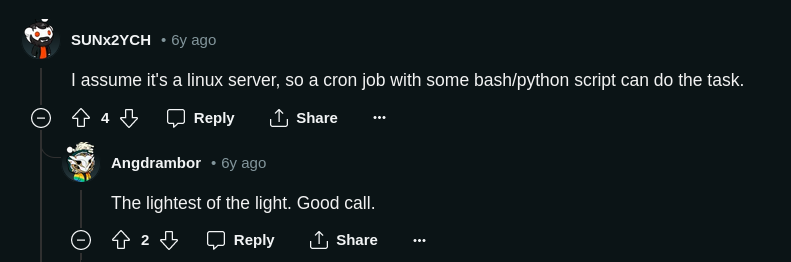
Validated by 2 strangers on a Reddit thread from 6 years ago. That’s all I ever needed. Option 2 it is.
Deploying on my NAS
I created a very simple bash script that fulfilled my needs.
- Run
git rev-parse HEADto get current commit hash - Run
git pull - Run
git rev-parse HEADagain - See if the commit hash changed. If so, run
docker compose up
I had everything I needed. But then in my shortsightedness I failed to realize that I can’t just SSH into the NAS, pull the code and run docker compose. TrueNAS scale uses kubernetes under the hood to manage containers, and the recommended way to do what I intend to do is to use a virtual machine! Or docker-in-docker. Sheesh. Virtualization much. I mean, how virtual can we go? I have a theory.
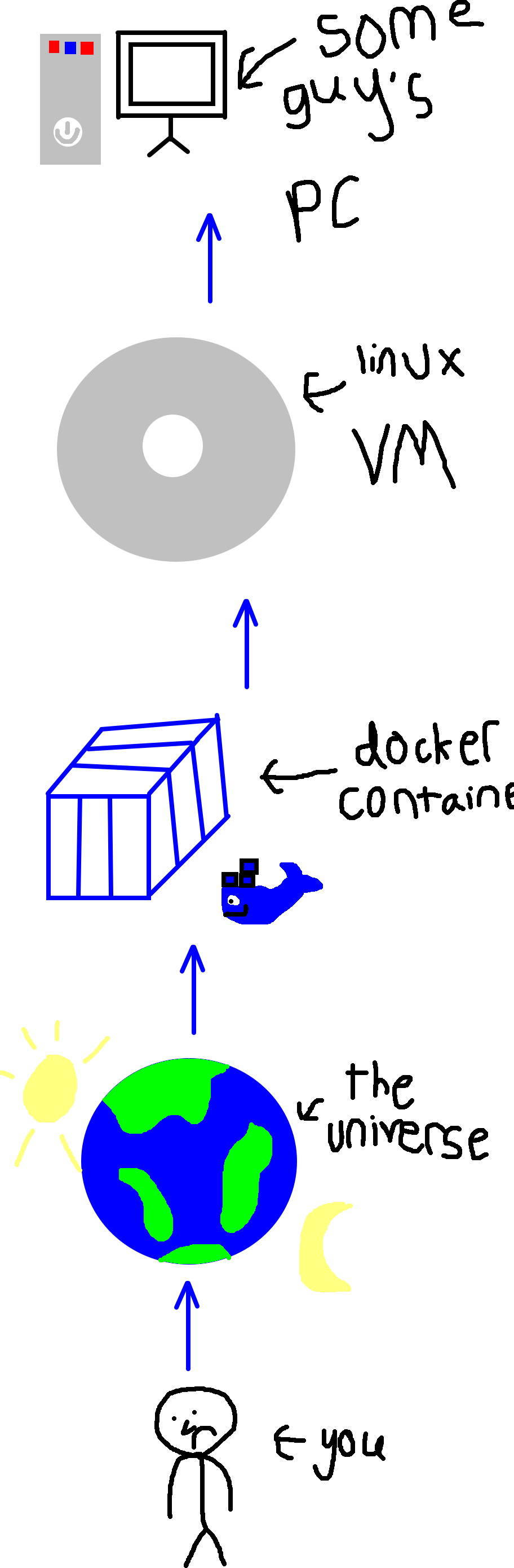
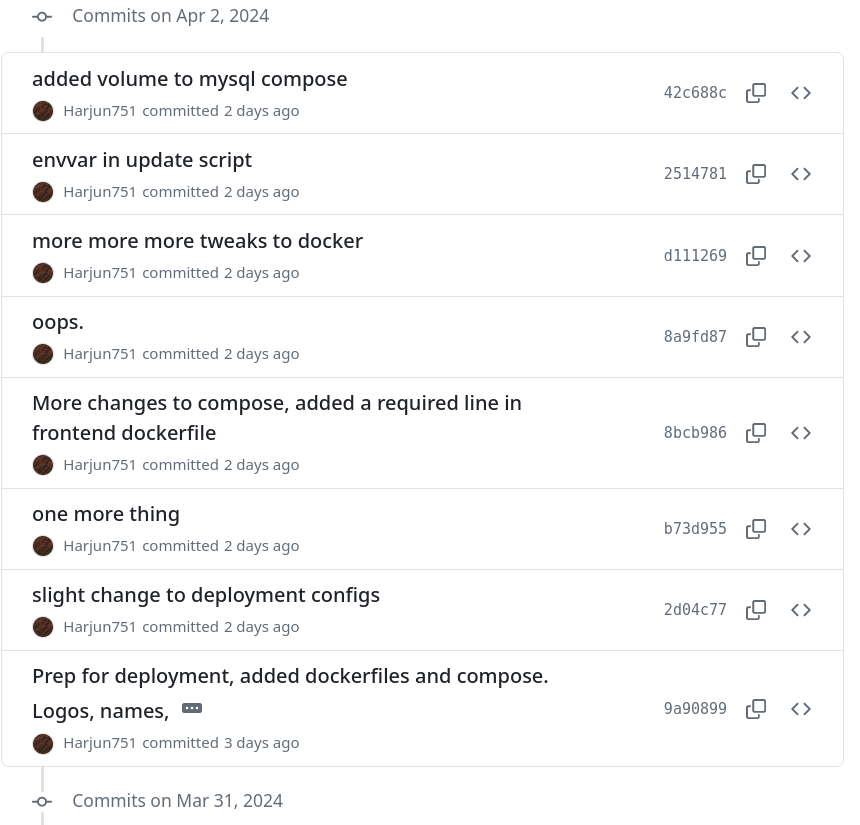
I end up running docker in a VM. As I pull the code onto the machine, I realise that I needed to tweak some of the details in the deployment configs. And everytime after I make the tweak and pull the new commit on the machine, I realise that I need to tweak it some more! This happened 7 times! This is really a reminder that I should use a deploy-testing branch or something to make all my changes and testing there, and then squash the commits and merge into main when I was truly complete. I did this once and that commit history was clean, but in my hubris I thought I didn’t need to here.
I haven’t fully set it up on my home yet. To be “done” I want to add a domain name & use https. I was messing with my router settings all the way from Germany (thousands of kilometers away from my home) on a VPN. When I remotely restarted the router, it shitted itself and died, leaving my family wondering what the hell happened. It took about an hour for me to walk through my family on how to fix it, so I think I’m done messing with it from HERE.
HTTPS on a home network
So, back home, I finished up the deployment. My last snag was getting HTTPS working in my local network. I deployed the frontend to the url “home.news.com”, which would only be available in my home network - my router was acting as the DNS. So, I could not use a public certificate. I generated a self-signed certificate using OpenSSL. Then, of course, I had to make changes in the Docker Files to manage the SSL certificates as well. With all that done, I had HTTPS working for the app on my network. Buuuuut, Chrome does not allow you to install a PWA with self-signed certificates by default. The solution is pretty easy - I just installed the certificates on my PC and Phone. With that done, I got the app downloaded on my phone, and I gotta say: PWAs are sick. I haven’t harnessed their full potential yet, but maybe down the line I will.
Show off
Now is the time I show bits and pieces of what all of this amounts to.
ooo infinite scrolling
Infinite scrolling, baby. Starts loading of new content when reaching close to the bottom of the page, and seamlessly inserts it.
Fact: nobody has ever done this before.
oooo loading animations
Look at that loading animation. If that isn’t a loading animation, I don’t know what is. That is, without a doubt, one of the loading animations of all time.
Fact: The second I pushed the code containing these loaders to github, Google called me with a job offer. I declined.
The scrape feature
And the reason why I built this in the first place, full text extraction. It works! By the way, I recorded this video on my laptop with my phone’s hotspot which had 1 bar on 4G which is why it loads so long. No, I will not speed up the video.
Fact: Every important person in this world uses this app. Are you important?
Conclusion
So, yea I have an RSS reader that I’m happy with now. I really enjoyed this project! There’s still some minor things to do so I’ll still be working on it a little, but it’s more or less done. Now I’m thinking what to do next.
This was a long-ass, meandering post. If you actually read all of this (who am I kidding?!), you deserve a cookie. Here.
(If you have not actually read the whole post, you are required to not look at the cookie. If you have, please un-see it. If you decide not to, my legal team will contact you shortly. Have a good day.)