
Shiok Prices
A friend approached me with an idea. He saw one of the government websites, “BudgetMealsGoWhere” and wanted to build upon that idea, fleshing it out with more features. I’m mostly down for anything so I said yea, and we began laying out the plan.
We first wanted to get the data that the government had already collected (I talked about scraping before here), so I needed to scrape their website. After that, we’d design the app itself and I’d code it out. My friend can’t code, so it’d just be me.
Scraping the site
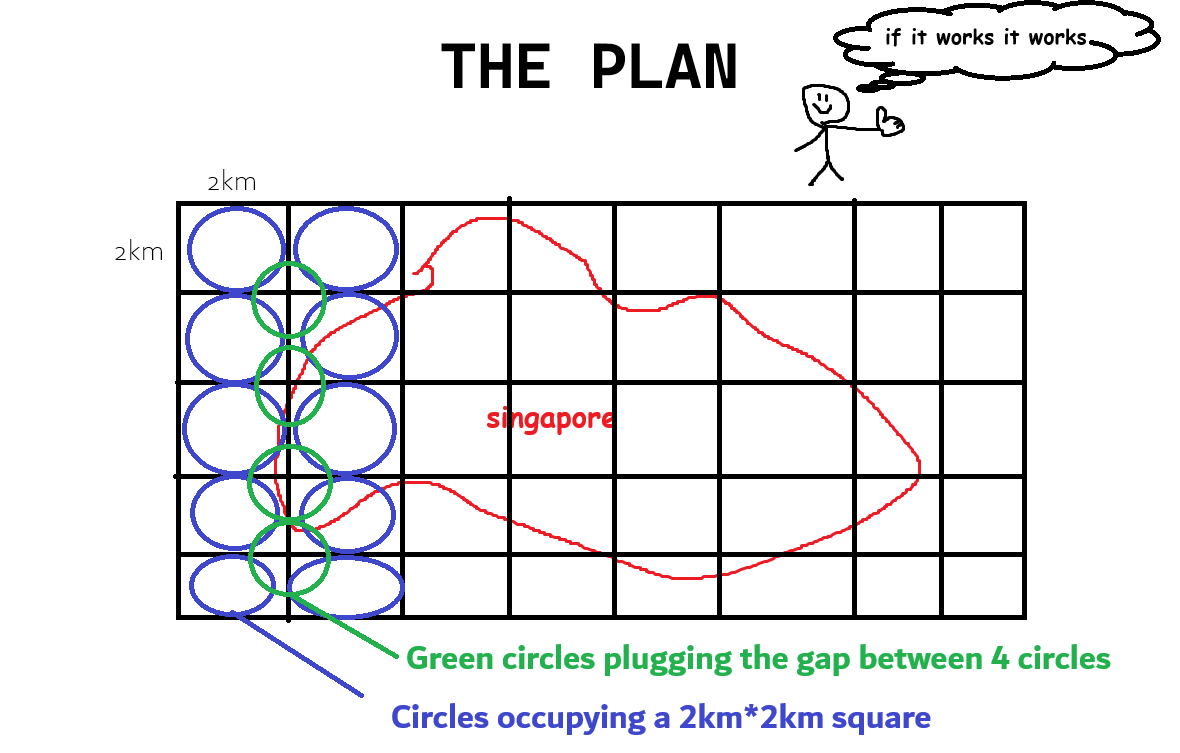
The site takes in an address and returns budget meals in a 2km radius of the query. With this in mind, the job was to simply cover Singapore using circles of 2km radius.
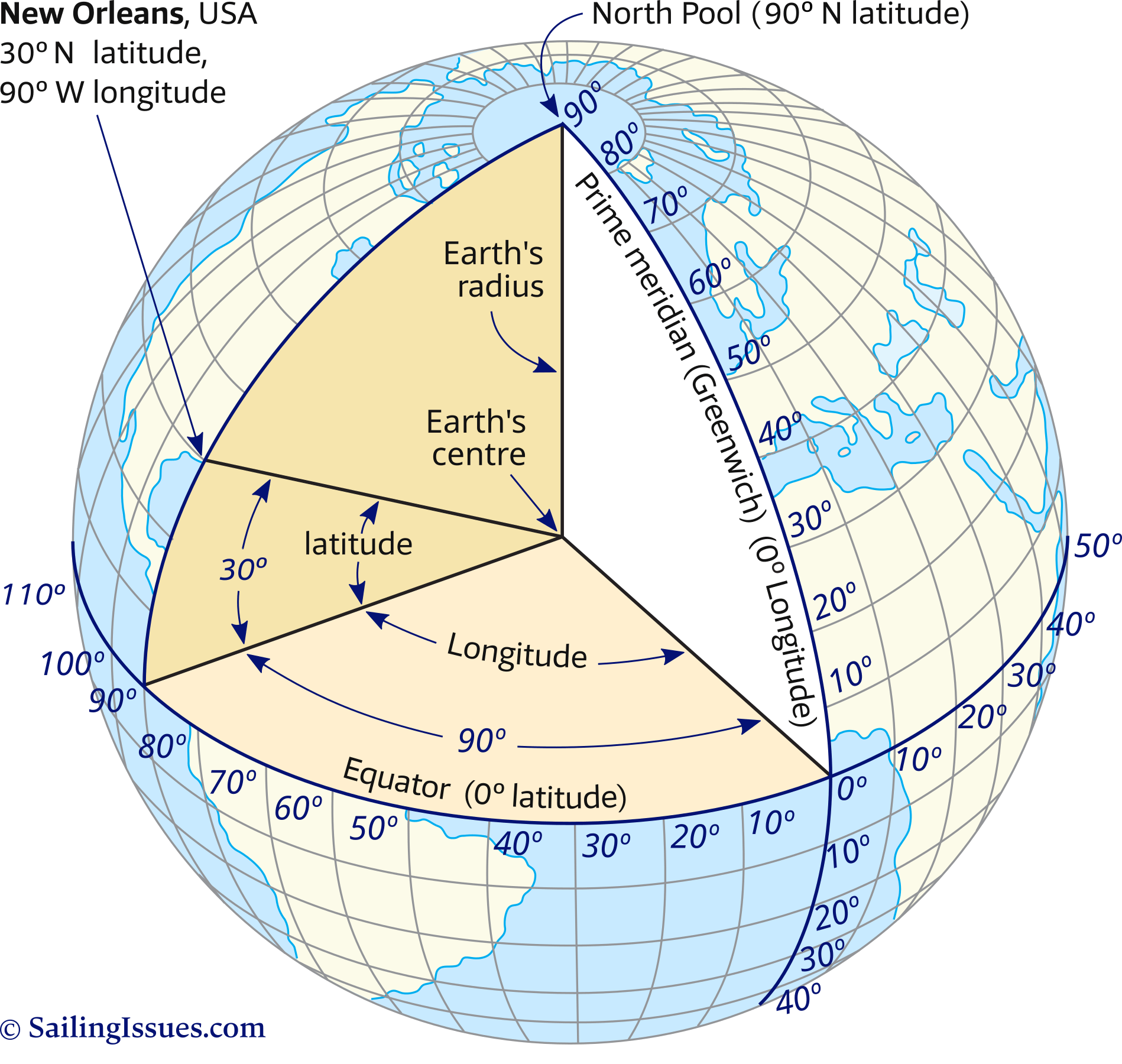
To do this, I took 4 points that represent singapores upper/lower/left/right boundaries in Decimal Degrees notation (for lat/long). Then I created a nested loop to plot all centers of the circle. For accuracy, I did left-right first, changing solely the longitude. This is because difference in longitude is NOT uniform; it’s based on the current latitude
Additionally, the empty space between the circles had to be accounted for as well. I’m not sure if there’s a more effecient method to pack circles in such a manner, but I didn’t mind simply adding more circles because efficiency wasn’t a key goal. Apparently hexagonal packing is the densest packing arrangement possible. You learn something new everyday.
Now, I had a list of about 1200 lat/long coordinates. A good amount of them were in the sea because I wanted to cover the islands off the coast as well. Using the onemaps reverse geocoding API, I fed the coordinates in to get a postal code that I could use to scrape the data. Discarding all invalid queries, I was left with about 300 postal codes. Plotting them out, they look like this:
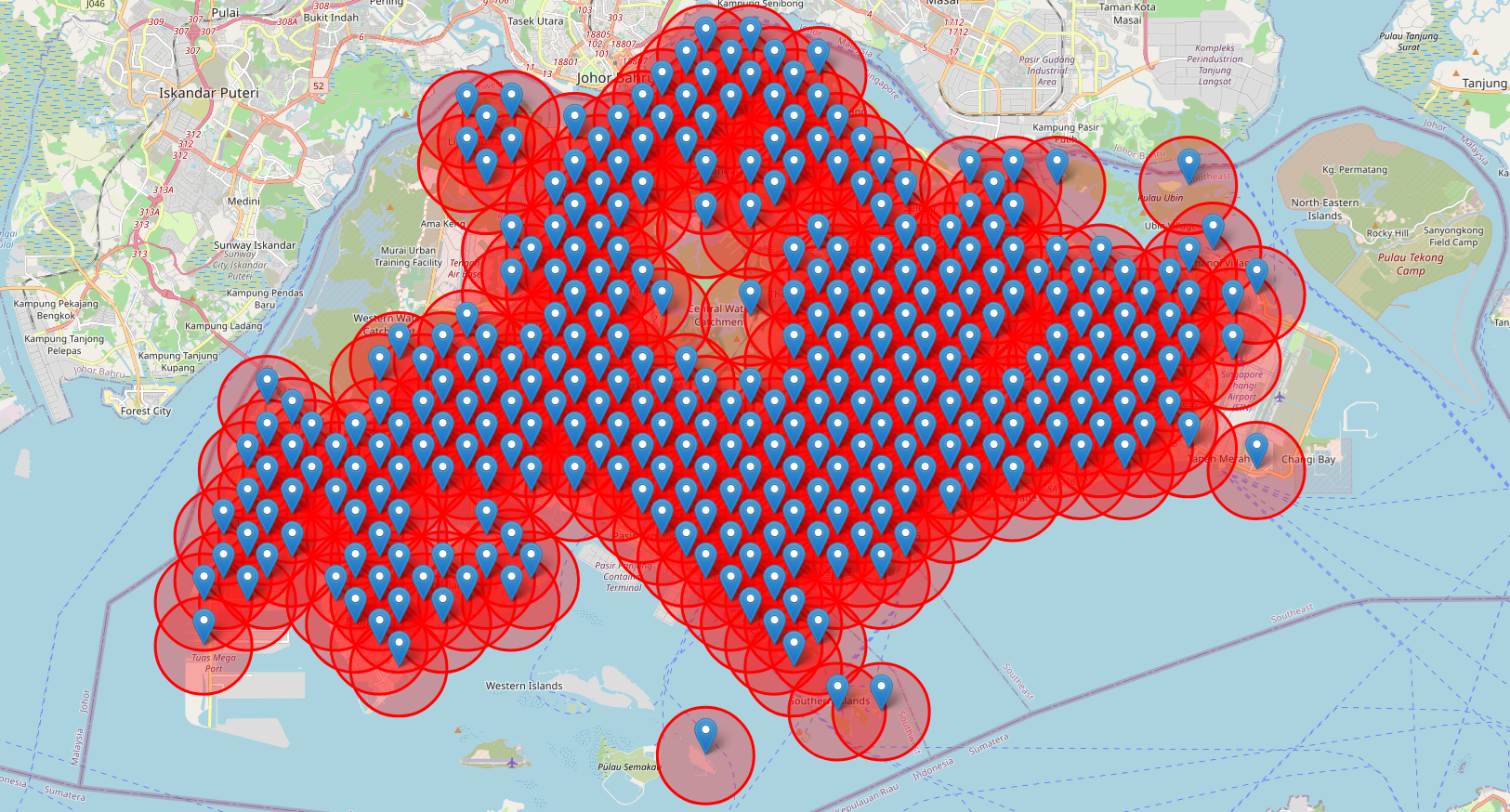
Looks pretty good. There’s some gaps, noticeably at the left corner - it’s a military training area. Pulau Tekong is not included too, but the boys there are pretty set on meal choices already.
With the postal codes, it was time to scrape the website. I used selenium to run each query and extract the necessary data.
While I was inspecting the website (so I could use the correct tags for selenium), I noticed something. Every single time the website loads, a request is made out to some endpoint for a 40kb json file called “data.json”. No. It can’t be. I open up the file. It’s a JSON list containing 440 data points. I expand one. No. Why. WHY.
The website loads ALL of the budget meal data on first load through a JSON file served by some endpoint. WHYYYYYYYY. I question why they do it in this way but it works for me.
To confirm that the data file was valid, I ran the scraper on the postal codes that I collated. Indeed, they matched with the data file.

Figma time.
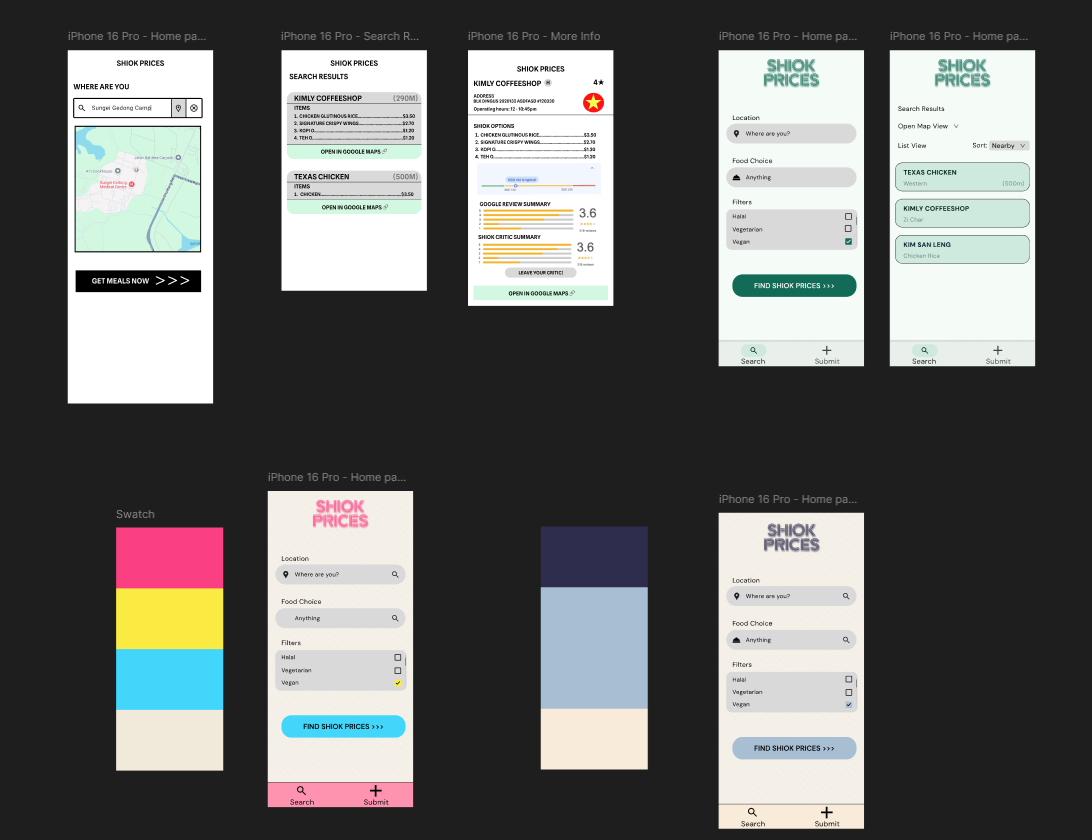
Feel like I am getting better at designing things, the first draft for this was way better than my previous projects. Though I really liked the pink swatch in the bottom left, no one else I asked liked it so I went for the green in the top right. If you think the pink one is cooler please email me and let me know and I will bestow upon you gifts.
App development
Well, it was time to develop the app. I was pretty tempted to make another PWA, but Tim Cook kind of spoiled that for me (us - the future we could’ve had!). What’s the point of developing a PWA if IOS users can’t even download it like an app. My friend also wanted it on IOS, so I had some work to do (I don’t have a mac but we’ll figure that out later).
So, I looked at the list of cross-platform app development frameworks for definitely-not-the-first-time. I used my usual way of making hard decisions (not proper research - randomnamepicker.com), and landed on Kotlin Multiplatform.
As developer who has developed nothing on native android (I honestly regret not taking mobile app development in poly!) or IOS, I was kind of in the deep end here. Kotlin Multiplatform (KMP) has some tutorials and docs on their website. However, as someone completely new to it, none sufficed. They taught the basics of UI and such, but nothing more advanced like, hey, NAVIGATING BETWEEN PAGES.
So after doing the little material that jetbrains provides for fresh KMP devs, I looked to the Jetpack compose site - it had a tutorial specifically targetted towards developers who hadn’t touched android before. Before we go any further, let me explain something (skip the next paragraph if you don’t care).
Kotlin Multiplatform is a framework that allows you to develop, using kotlin, apps targetting android, IOS, desktop, and Web. You can choose to develop the UI using native options such as swift (IOS) and something else (android). OR, you can choose to develop a shared UI using a little nifty thing called Jetpack Compose. Jetpack compose is the now-recommended way to build native UIs for android.
So, I’m essentially taking an android dev course. I’m hoping that familiarity with Jetpack Compose for android development will help me to use Jetpack Compose for KMP development. See?? Perhaps not the most direct way to do it, but I’ve wanted to learn android development for a while now anyway.
The Jetpack Compose Android Basics Course
The course was actually VERY extensive. It’s structured over units containing codelabs where you implement features with some guidance. There’s generally one big project for each “Chapter” where you’re given an app idea and told to implement it. I actually enjoyed it quite a bit - you can see how many projects the course took me through: Now, I’m pretty confident in building an android app with navigation, states, and the basics. I’m pretty sure I could pull of a decent CRUD app. Back to KMP.
Kotlin Multiplatform
So, I began developing the app in Kotlin Multiplatform. For the most part, the libraries and functionalities that exist on Jetpack Compose exist in KMP too, though usually in slightly different forms. The “feel” of Jetpack Compose and Compose Multiplatform is similar, but not completely the same.
You start getting deviations once going deeper into development. Many things in KMP are not even fully shipped yet - navigation, for one, requires you to use the experimental compose navigation UI. Not everything is fully-baked. I couldn’t quite find a good way to manage credentials either. Mid-development, the wasmJs target just straight up stopped working! I just continued on mobile, pushing the problem to further down the line (update: fixed)
Progress
So I eventually got most of the key features completely baked - adaptive layouts on mobile, actual searching based on location, and more. There’s still some stuff to do like fleshing out the google maps integration, invalid input handling, loading screens, and so on. I wanted to publish this blog once I was completely done with the app, but to be honest I haven’t touched it in about a month. School caught up with me. So I’ll just put what it currently looks like down here:
And here’s it on an actual browser:
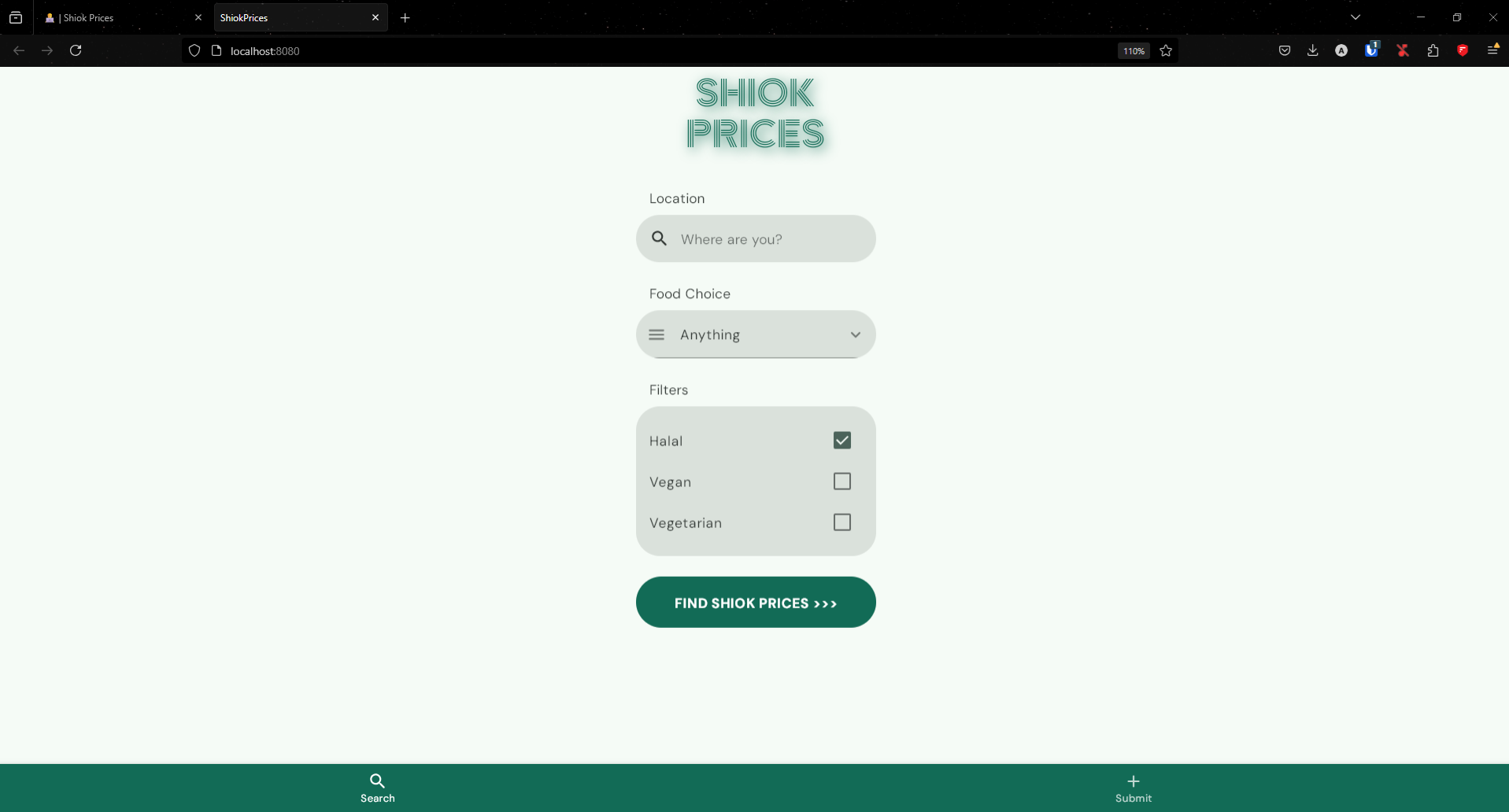
If I don’t make a part 2, this project went to the graveyard. remember it.
I *WILL* get back to it I *SWEAR* bro