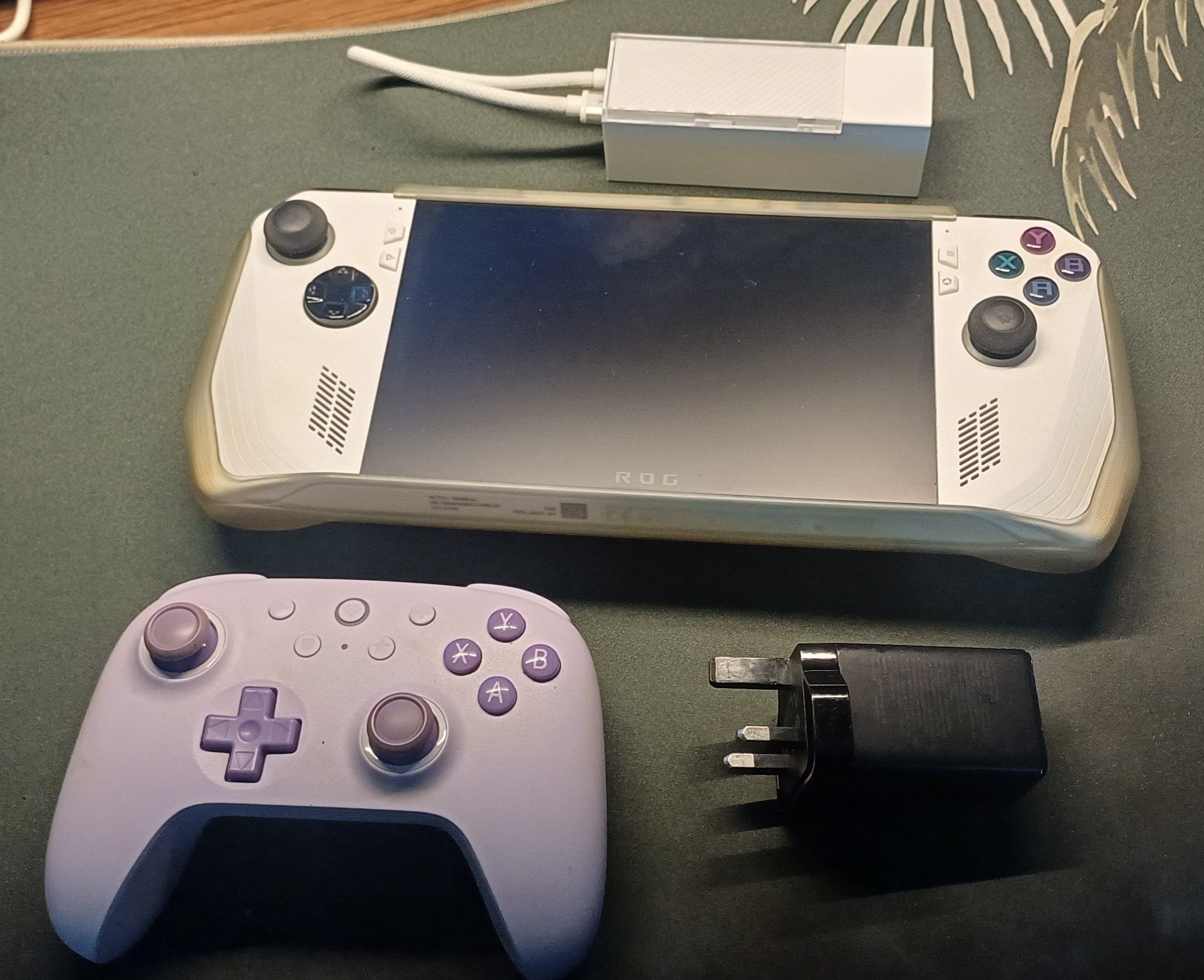
THE ROG ALLY Z1E (2023)
I bought this device nearly 2 years ago, in army. I was stuck in bunk sometimes with nothing to do - a handheld PC sounded awesome to pass the time. Thanks to GABEN, the consumer electronics market was seeing more and more of these handheld devices being made by LARGE companies like Asus and Lenovo. It’s clear they wanted a slice of the pie too. And that’s fair! While handheld computing FOR PC gaming wasn’t a new concept by any means (GPD, for example, have been making very nifty devices that ran windows as early as 2016!), Valve made it sleek and sexy for the mainstream audience. After all, we haven’t seen a handheld device like the PSP or the 3DS in recent years. The dream of handheld gaming was on life support, and companies just decided that handheld gaming wasn’t really a worthy market I suppose. (The Playstation Portal is a step towards that but cmon, cloud gaming is not the same.)
Why an ROG Ally?
So that leads us to the year 2024. A year of hope for the handheld gaming market. Asus had their ROG Ally. Lenovo their Legion Go. And MSI had their… claw. thing. Valve, for some reason, didn’t want to ship to the country I live in - Singapore. This is true for pretty much ALL of South East Asia. Funny thing too - Valve ships to Australia, but not NZ. So barring that, If I wanted a Steam Deck, my only option would be to buy one from local markets without official warranty AND at a cost higher than MSRP. Not very attractive.
But, there’s so many options in the market today! Let’s take a look at them.
Baseline: The Steam Deck LCD
You might be firstly asking “Why the LCD version?!?!?”. It’s because it was what
was widely available in Singapore at that time. I wouldn’t really get an OLED
anyway. The Steam Deck comes with 16GBs of DDR5-5500 RAM, with either 256 or
512/GB storage options. The LCD screen is a 1280x800 60hz 400nits touchscreen.
The whole device is powered by a 40Wh battery, but usually crushes battery tests
due to the effecient Zen 2 APU and lower TDPs that the SD generally operates at.
It runs SteamOS, presumably further boosting battery life by cutting out
Microsoft background bullshit like Telemetry. Now, to get one of these in
Singapore, it’s looking to set you back about $800+.
What about the ROG Ally?
1. The Screen
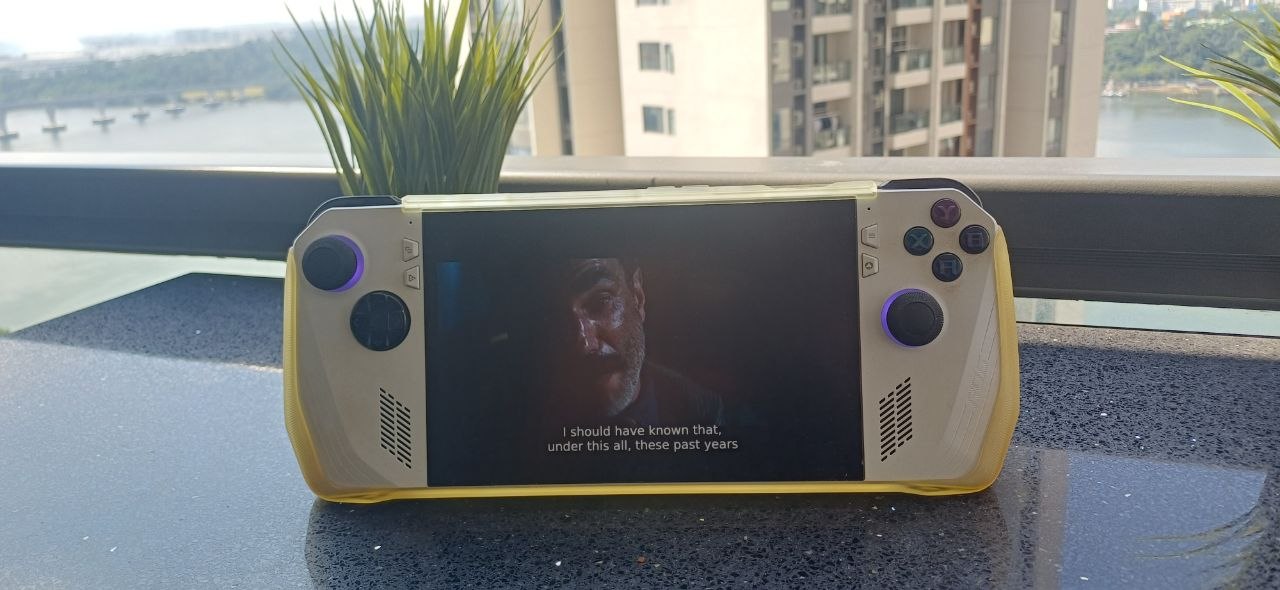
The ROG ally comes with a 7in FHD (1080p) Screen at 120hz that goes up to 500nits. Specs-wise it’s simply a better screen - some may question 120hz on a handheld device, which is fair. But on a handheld I usually play lower-spec games and non-AAA titles anyway. I’ve been able to actually utilize 120hz on multiple games before. Monster Hunter Rise, for example, runs beautifully on this device. It is originally a switch game, meaning that it’s already quite optimized towards lower-spec devices, but this is exactly the kind of game that lends well to the handheld experience.
2. The battery
…is not so great. 2 hours maximum is my experience. The ROG Ally regularly tails in battery life comparisons, and it’s not hard to see why. It sports a 40wh battery, an APU that is not as battery-efficient, powers a screen that puts out more brightness and pixels, and runs Windows. It’s a trade-off that you need to consider. Personally, I’m not using this device for more than 2 hours if I’m out and about. And if I’m not, I’ll have a charger close by.
3. The Performance
The Z1 Extreme model (which I’ve got) is great. It’s purportedly similar to a 1650, which means that you’re not going to be playing God of War on this thing, but it’ll handle indie games and older titles just fine.
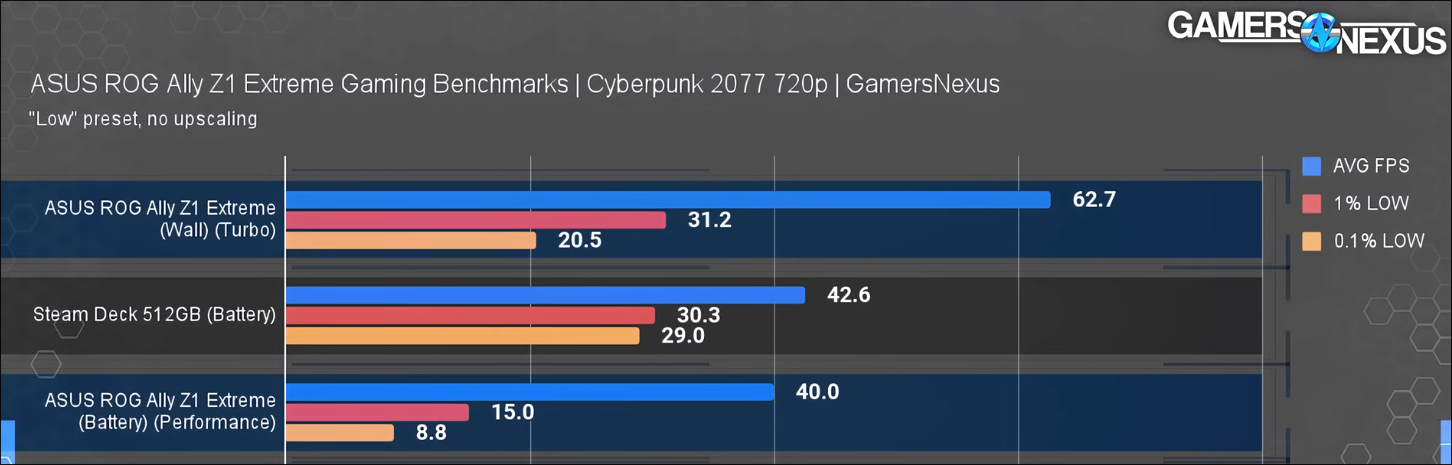
On similar TDPs, the ROG Ally Z1E performs worse than the SD. But, pushing the TDP up by 3 watts makes the ROG Ally run much better at a still-solid battery life - can’t find any benches regarding that. Either way, giving the Ally more juice pushes it past the SD (see turbo above), quite naturally.
4. The Software
Software-side the ROG Ally is a mess. Asus’s software just doesn’t feel polished. So OOB, I’m sure the SD feels like a much more put-together machine. However, I am not opposed to tinkering. The fact that the ROG Ally runs Windows was something I initially saw as an opportunity - it allows one to access all the tools utilities and apps that are already present on Windows!
So it’s quite a mixed bag. But if you’re someone looking for a console-experience with minimal jank, the SD is for sure the way to go.
What about Lenovo/MSI/GPD/…??!?
Lenovo’s Legion Go boasts some very nice specs and features that pushes its price range justifiably out of my budget. The MSI Claw… is the MSI Claw. And every other option is just more expensive.
Picking one
The MSRP of an ROG Ally in Singapore is $999. I was able to find one for nearly $100 off, meaning that my choice was between the Steam Deck which was a $100 cheaper, or the Ally. There’s still reasons to get the SD, but for me it was a no brainer. I get a nicer screen, a better APU, AND official warranty (…which ASUS has disappointed customers on before). There were drawbacks, battery life being the main one, but I wasn’t going to be using it for extended periods of time on-the-go anyway.
THE FIRST AGE OF USAGE: GAMING
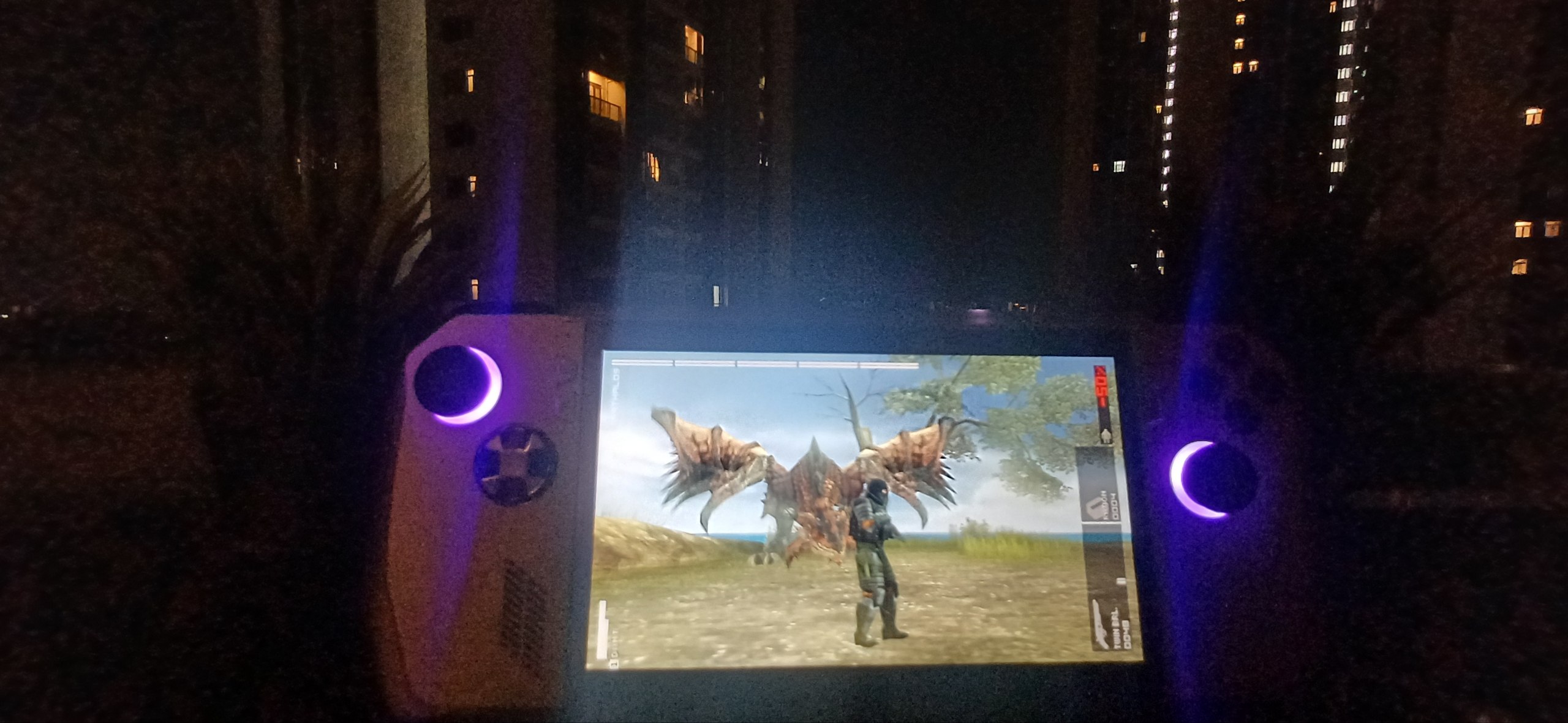
Well when I got it I used it exactly like how you would expect someone who has bought a gaming handheld to use a gaming handheld. I gamed. Tried seeing what it could do comfortably and what it couldn’t - Death Stranding was a bit of a stretch, but playable if you’re used to 30fps. Personally, I have seen the light and anything less than 60fps is blasphemy. I don’t understand how I played through the whole of MGSV on the PS3.
I then played a good amount of Elden Ring which was actually quite a good experience! How?
“FAKE” FRAMES.
You’ll have to get used to the idea of using FSR quickly if you want a solid experience (that is, >30fps) playing AAA games on these devices. Yes, you might say the following:
Fear not. I have depicted you, the wrong one, as a weeping weak mess and I, the right one, as an angular handsome man to show how wrong you are. I defeated the Tree Sentinel from the get-go on this, so you can do it too. I don’t doubt that latency is increased but in an odd way I believe you get used to it. I value lesser choppiness - the latency wasn’t enough for me to be put off. But then again, I do not have the sharpened senses of a 16 year old who dedicates most of their waking life to CS:GO. But very often “fake” frames is not enough. You’ll have to play on…
720p.
Yes, on more recent and demanding games expect to decrease the resolution. In my opinion, 720p looks just fine on handheld devices as well. 1080p for sure looks better, but 720p is fine. It’s already a smaller screen anyway.
There is a more depth to squeezing more frames than this but I believe no one should ever go down this path. If you do, consider… not?
GOOD TIMES
So I played many games on this, sometimes decreasing the resolution or using FSR. The device absolutely shines when running older titles or emulating, though. PSP games are amazing on this - it’s wild that the original device shipped with just one analog stick. The ROG Ally circumvents this. One of my favourite memories with this is finishing up a guard duty shift and retiring to the rest area at 3AM, to turn on my Ally and finish up the last part of the original Silent Hill while being frozen by AC. Not a worry to be had.
THE SECOND AGE OF USAGE: DISUSE
It’s not really an age of usage if I’m not using it but whatever. After NS, I didn’t really have much of a use for the Ally. I’d bring it along with me on long bus rides here and there, but I don’t take long bus rides enough for it to be regular usage. I’d prefer to sit back at my desk and play on my actual PC. I’d also sometimes turn it on on my bed, but that’s probably a bad habit.
It didn’t really see good use for a while until…
THE THIRD AGE OF USAGE: A SICK HTPC+
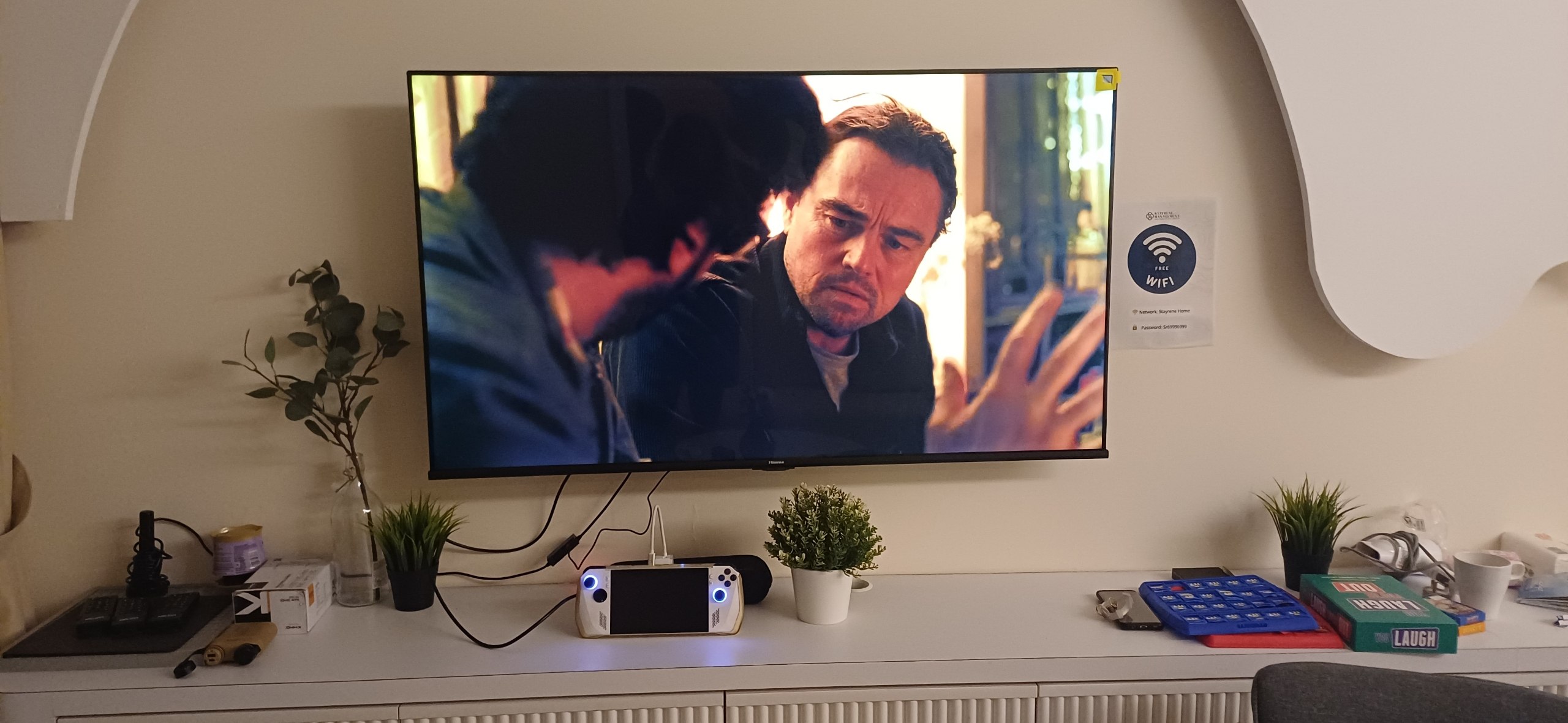
Well, if you remember from my old post (of course you do!) I turned my Raspberry Pi into a HTPC using OSMC. I wasn’t really using it much unless I was watching 4K content, and the UI and controls I found very odd. The UI would also be laggy at times. Configuring it was also a hot mess, so the Raspberry Pi was effectively in its retirement.
Then, I got an idea. I have this device with a great chip that I’m just leaving in disuse. Let me use it as a HTPC! The UI will be much snappier, and I could also do more intensive stuff on it!
So, I uninstalled Windows.
Goodbye Windows.
I progressively move completely towards the Linux ecosystem. Windows is great**, but if I want a console-like experience that I can fully control from my couch, it’s not ideal. So I wanted something that was more suited towards the couch experience. I wanted to control everything using a controller - no keyboard or mouse. Even configurable via controller. Directly booted into a nice UI. After some searching I stumbled on…
BAZZITE.
Bazzite is a Fedora-based operating system targeted expressly towards Gamers:tm:. Steam is pre-installed. The huge elephant in the room is that you’re no longer on the Windows ecosystem, meaning that you lose native support for many games - mostly those not using Vulkan.
Well, my main PC has been on Arch (btw) for a while. I do game on it as well, and I’ve found that all of the games that I play are playable natively or with proton. This is because I don’t really play competitive PVP games anymore - if you do, it’s likely that one or all of them will have an anticheat which is just not compatible with Linux.
With that in mind, I was confident that any game I wanted to play on my Ally would be playable natively, or with Proton. Thank you Valve.
Getting a dock
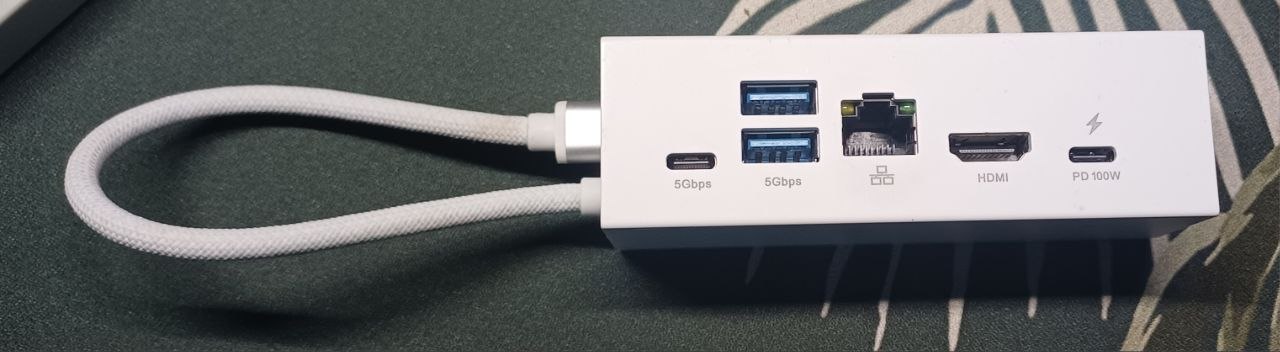
Well if it’s a HTPC it needs to have some sort of display out. The ROG Ally does not have that. So you’d have to buy a type-C to HDMI/DisplayPort, or get a dock with any of those ports. The ROG Ally does have an “official” dock made by Asus, but it’s a little pricey (and only came out in 2025). There’s a lot on the market, but I found the most affordable and well-rated one to be the JSAux 6-in-1 Multifunctional Docking Station. It comes with a decent selection of ports - I plug in my controller, ethernet, HDMI, and PD into it.
Making the setup a “HTPC”
So with the dock and HDMI plugged in, we have a nice TV gaming setup. But to make this a true media center, we need more! To access all my media, I downloaded “Plex HTPC” which is a controller/remote-friendly interface for Plex. After logging in, I now have all my movies/shows accessible from the ROG Ally on the TV! It handles playback much better than the previous Raspberry Pi, and on top of that the UI is much snappier as compared to even the TV Plex App that I use.
A very interesting thing I noticed is that the colours pop MUCH better on the ROG Ally than the Plex App! This is true even when the TV detects HDR content coming from the in-build plex app. I noticed this thread here regarding this issue. Either way, it’s a much better experience on the ROG.
HDMI CEC
To make it feel integrated with my TV, I’d like to enable HDMI-CEC - it’s a standard that allows devices connected on HDMI to send data to each other. In this use-case specifically, it would allow the ROG Ally to turn on the TV when the ally itself turns on. Additionally, it would allow inputs through the LG remote to be sent to the device - meaning no controller necessary when watching Plex with it.
This is surprisingly difficult
Or maybe unsurprisingly, if you’ve never heard of CEC before. It’s very plug-and-play with devices like the Raspberry Pi, or the PS5.
To get CEC working, you need CEC-compatible hardware and software. Bazzite ships with libCEC, which means CEC support OOB assuming you have the right hardware. Finding the right hardware is a certifiable pain in the ass - many docks do not even bother mentioning CEC in their spec sheets. The JSAux dock I bought did not come with CEC support. There are rumors and hurried whispers through the grapevine of docks that do support CEC - but I always hear mixed reports. The official Steam dock apparently does have support, but good luck finding it. This helpful user compiled a list of docks and adapters that are tested to have CEC support here. You’ll notice that the list is quite short.
But my eventual (maybe) salvation lay in where many quiet but important salvations lie in the software world - the Arch Wiki. What an amazing resource. The Wiki has an HDMI-CEC article which details that, interestingly, the Framework HDMI module does indeed support HDMI-CEC! This discussion on the Framework forums mention that it does indeed work, but this may be due to HDMI-CEC tunneling over DisplayPort. Read the Arch Wiki post linked earlier if that makes no sense right now. So, I’m not too sure if this’ll work on a dock with no DisplayPort at all. But, I am buying a Framework 13 pro (it came out at a good time for me) so this will cost me no extra cash money to test at all. I’ll probably update on a new post if this works or not.
Wake on Controller
To make it a console-like experience, I wanted the ROG Ally to wake from sleep when it detected my controller turning on. I use the 8BitDo Ultimate 2C Wireless Controller, which is a great controller for many reasons (hall effect joysticks!). But sadly, wake with the 2.4Ghz dongle is not supported (apparently it works with Xbox controllers…). That’s alright, because we can use Bluetooth instead - just wake it using Bluetooth and change the controller back into the 2.4Ghz dongle mode.
So I followed this very helpful comment here on how to set the udev rules to enable wake-on-bluetooth. After adding the rules, it works okay. It takes a good 4 seconds or so to wake the device up. Not great in the overall “seamless” feeling of the setup, but it works and that’s satisfactory.
Game streaming
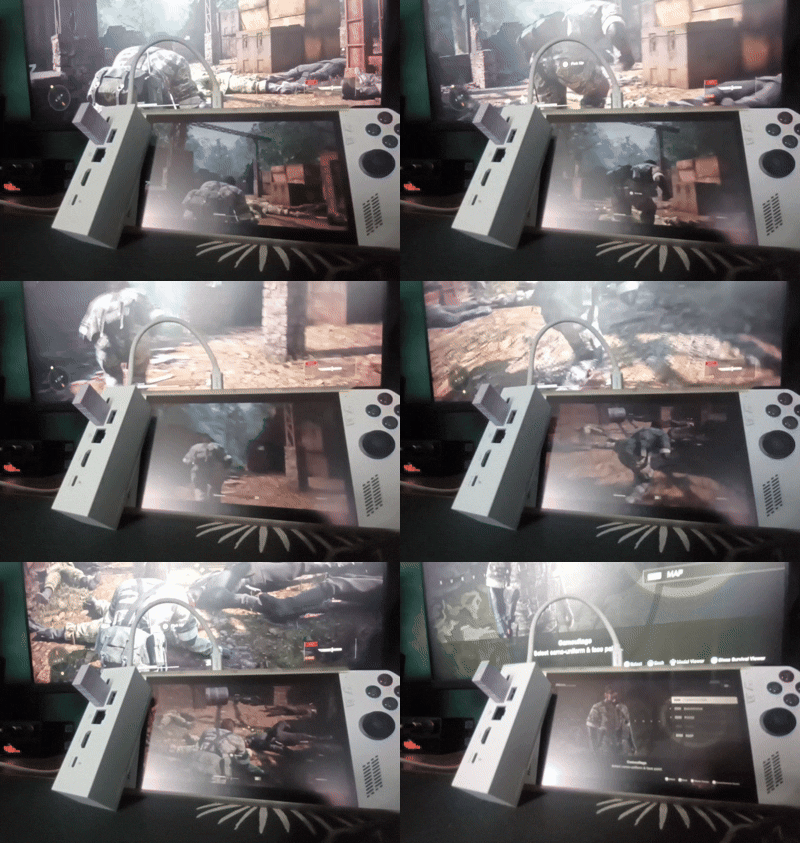
Sometimes, I want to play a game that is comfortably OUT of the Ally’s capabilities. Using moonlight, it was really easy to setup game streaming from my Desktop to the Ally. It runs much better than Steam’s in-built streaming - I can stream up to 4k60fps. I simply added the Moonlight client as a non-steam game on my Ally, so whenever I want to play something heavy on my TV I just launch the app.
The Best Part
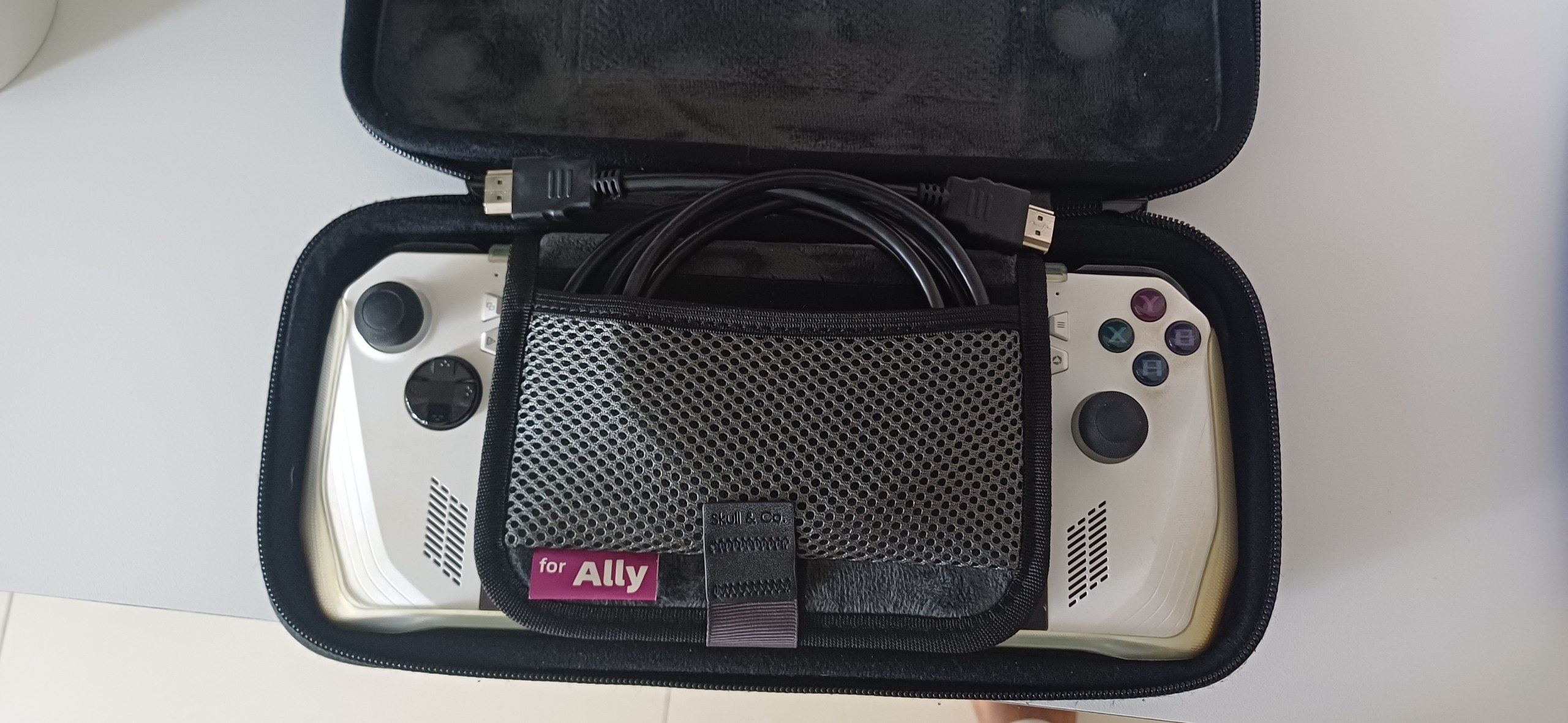
When I was thinking of changing to this setup, I did not consider this one variable that would end up making this combo so good. Portability. If I’m bringing a backpack somewhere, I can pack my Ally and dock easily. In fact, the dock is comparatively tiny to the chunky Ally. And on top of that, if I bring my HDMI cable, I basically can access all my movies, shows, and games that are on my device or Plex from anywhere with an internet connection.
This has become my gimmick. I am the Movie/Games guy when I go for a trip or to a friend’s place. I bring along my Ally, connect to internet, and movie nights become super simple. I’m basically expected to bring my Ally whenever I go to a friend’s place because of this. It’s a portable Jackbox machine.
This has increased my social standing significantly.
Conclusion
What an awesome device. I have a long bus ride to work, so I’ll plug the Ally out of its dock and bring it on my ride. I’m playing MGSV (again) on the Ally - it’s a beautiful, well-optimized game that runs like a dream. On 15w, I’m getting about 70-80 FPS, so I turn it down to 13w to get a little bit more battery life at ~60FPS. Then, when I’m done I just plug it right back into my dock and I can continue right where I left off on my TV!